
BUSINESS ROLE

Salespeople and sales representatives

Work with customers, configure products and prepare window and door quotes.

The sales process starts by selecting or entering a customer, then adding the items that make up a quote. In Okvir.io, sales representatives work with the product catalogue and technical and commercial rules set for their company, location and user role.

  • Customers and contacts
  • Quotes and prices
  • Document revisions
A salesperson shows a customer a window configuration on a laptop in a showroom.

Sales staff workflows

Product selection, pricing and quote issuance are linked to customer records.

01

Customers and contact records

Sales staff use the address book for private and business customers, including the details needed to prepare and issue a quote. Each quote is linked to a selected contact and remains in the company records.

You can review earlier quotes and customer activity. For regular or occasional customers, the record may show quote history, frequently requested products and discounts already given. This helps you see how you have worked with a customer and decide which terms to offer next time.
02

Products and construction choices

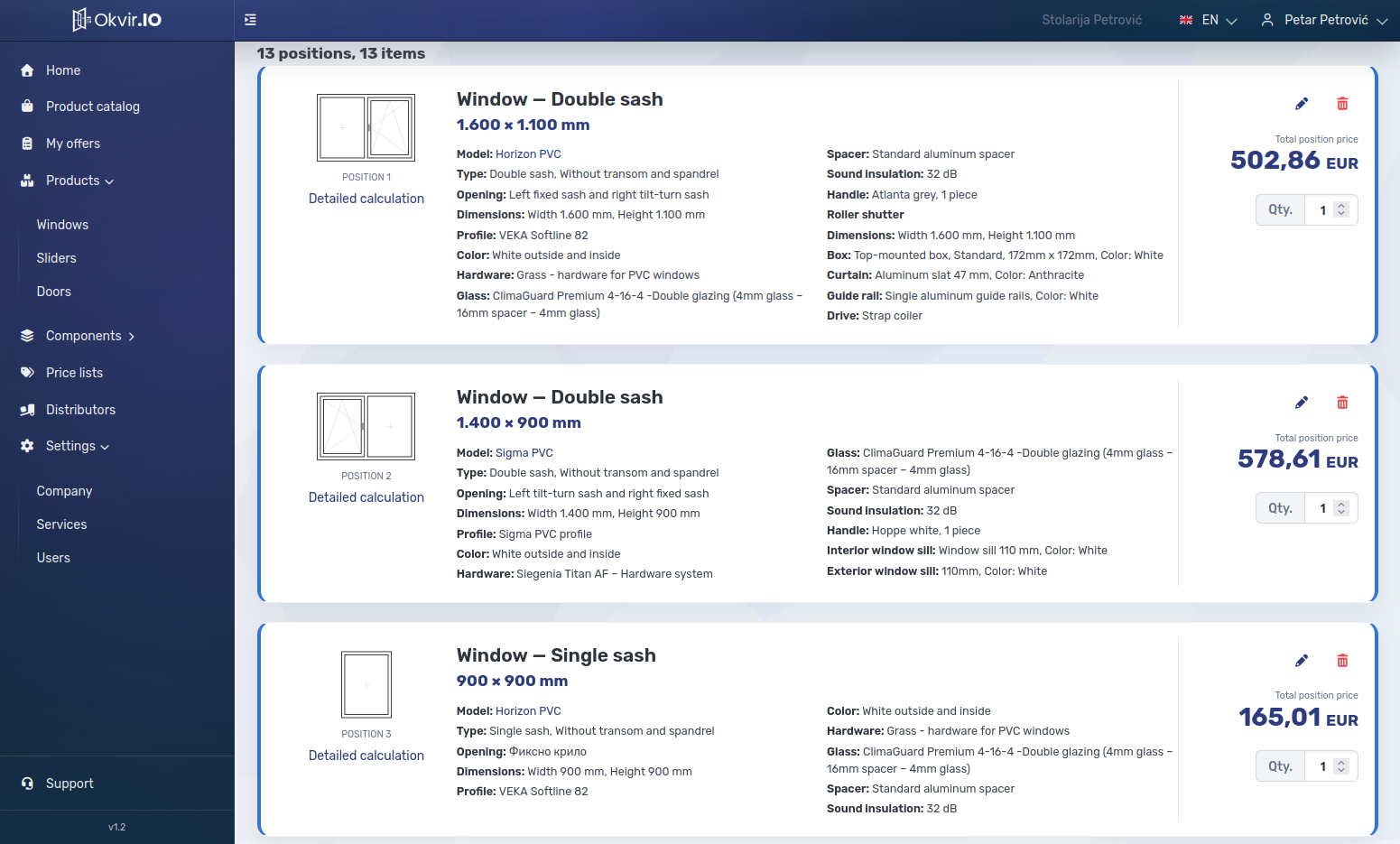
A quote can include windows, sliding systems, entrance doors, interior doors and security doors. For each item, you select an available construction, dimensions, colour, profile, glazing or other infill, hardware and accessories.

The choices depend on the settings for that product. Your company can limit available dimensions and opening types, so sales staff offer only combinations the business sells or can produce in its workshop.

03

Price calculation and services

The price of each item can be calculated from material usage rules or, more simply, taken from a price matrix. Margins, rebates and other commercial terms follow your business policy. Depending on the customer request and product type, you can add roller shutters, insect screens and other accessories.

Transport, installation, removal and other services can be included in the same quote. The system can calculate their prices automatically using your rules, or you can set a price for each job as needed.

04

Issuing and revising quotes

When the calculation is complete, the quote is issued with its saved values and as a PDF document. If a customer asks for another version or changes a profile, glazing or another detail, you can reopen the quote and create a new revision. The issued document remains intact, so the original request and later changes that led to a sale or a lost opportunity remain visible for management reporting.

When working with distributors or regular customers who do not yet have access to your company workspace, sales staff use the catalogue and partner terms assigned to that partner. If your company is a distributor, issuing a quote to your customer automatically sends an order to the company whose products you distribute, under the agreed terms between the two businesses.

See how your team would use Okvir.io

Who sets the rules, who creates quotes, and who works in the workshop or on site? We will show what each role in your business can see and do.

Showcase of Okvir.io interface