Sales and quotes
From choosing windows and doors and calculating prices to a quote you can send to your customer.
In Okvir.io, you can enter customer details, choose products and prepare a quote with a clear price breakdown. Individual items, accessories, services and commercial terms for the job are all in one place.
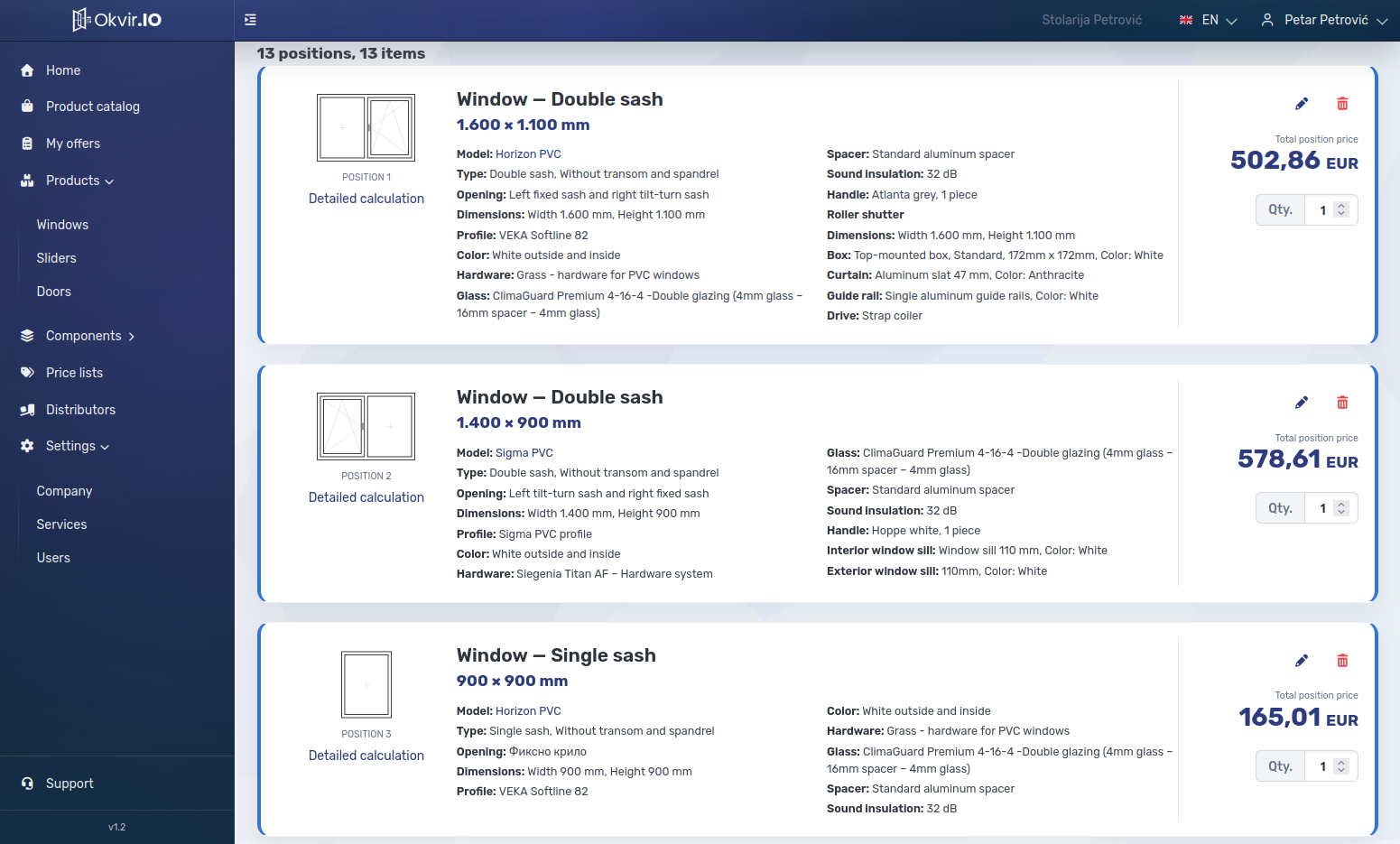
Product configuration and pricing
A quote can include windows, sliding systems, entrance, interior and security doors. For each item, you choose dimensions, construction, profile system, glazing or another infill, hardware and available accessories within the options for that product. Roller shutters, insect screens and other items can be added when the catalogue includes them.
You can calculate the price from components and configured rules or take it from a table price list. For table-priced products, your business can define which dimensions and layouts are available. The total quote includes configured margins, rebates, discounts, services and applicable taxes.
Customers, distributors and issued quotes
Quotes stay linked to contacts and business activity, keeping customer and job details together. If you are a manufacturer, you can work with connected distributors who use the available catalogues and agreed commercial terms. Independent sellers can use their own price lists. A quote issued by a distributor does not automatically become a purchase order to the manufacturer.
When you issue a quote, its calculated amounts are saved. You can download the PDF or email it to the customer. If an issued quote needs to change, you reopen it and issue a new revision.
After sending the quote, you can check its sending history and expiry date. Once the customer agrees, you mark the quote as confirmed. You can then move it to the “In production” status and close it when the job is finished. If no agreement is reached, you can cancel it. Quote statuses and sales activity appear in business reports, subject to user permissions.
See which parts of your work Okvir.io supports
We will go through the steps you actually handle in sales, the workshop or on site, and show which ones the system supports and connects.